Quest givers and loot crates
Some quests start with a conversation, and some rewards arrive in a crate that you open yourself. The bundled pack uses both, and pack creators can add their own.
Meet a quest giver
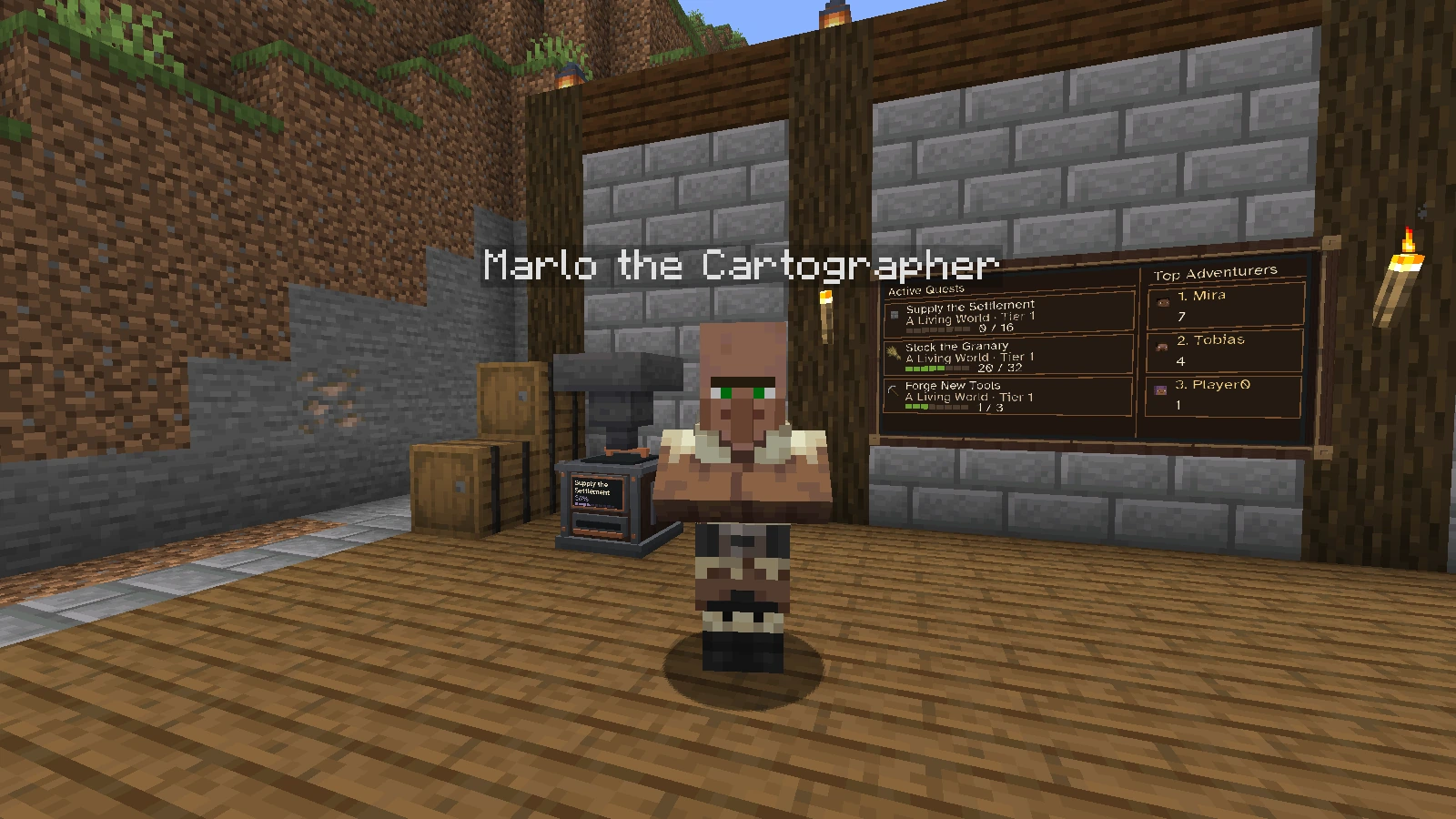
A quest giver shows its name above its head. Marlo belongs to the bundled Explorers guild.
Quest givers are characters that stay where they appeared. They never despawn and cannot be hurt in survival. The bundled pack adds three of them.
| Quest giver | Where to look |
|---|---|
| Marlo the Cartographer | Villages, most often taiga villages |
| Sela the Treasure Hunter | Desert pyramids, jungle pyramids and trail ruins, rarely villages |
| Oswin the Wanderer | Abandoned camps and, very rarely, anywhere in the Overworld |
Each structure rolls its chance once, when it is generated. Chunks that existed before a quest giver was defined never receive one. An operator can place one by hand with /questplus npc <id>.
Accept a request
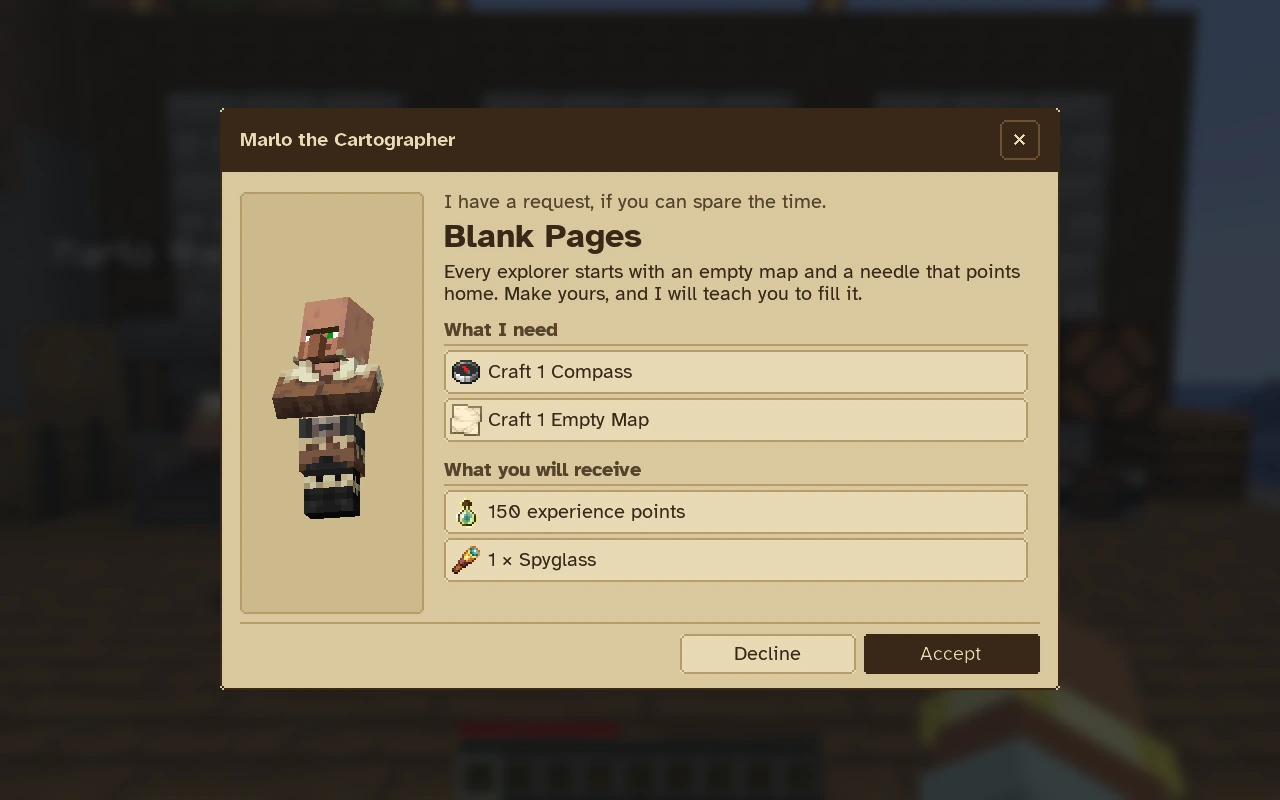
- Right-click the quest giver.
- Read the request. What I need lists the objectives and What you will receive lists the rewards.
- Choose Accept to start the quest. Decline only closes the dialog.
A quest offered by a quest giver stays off the tablet and counts no progress until you accept it. When a quest giver has several open requests, use the arrows in the dialog to move between them.
Follow your progress and claim
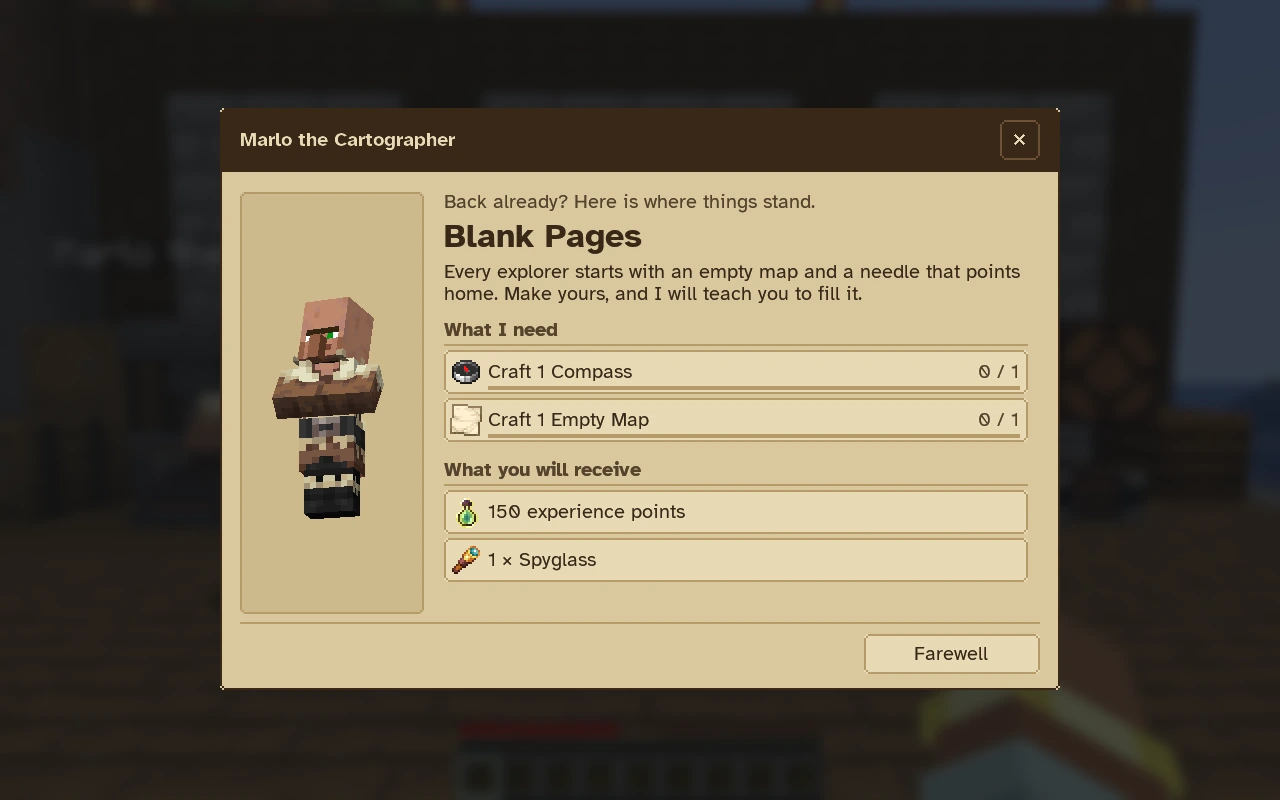
Talk to the quest giver again to see where each objective stands.
Return to the quest giver when the objectives are complete and choose Claim reward. By default, rewards of these quests are claimed from a quest giver that offers the quest. A pack can set npcTurnIn to false so they are claimed like any other reward.
Open a loot crate
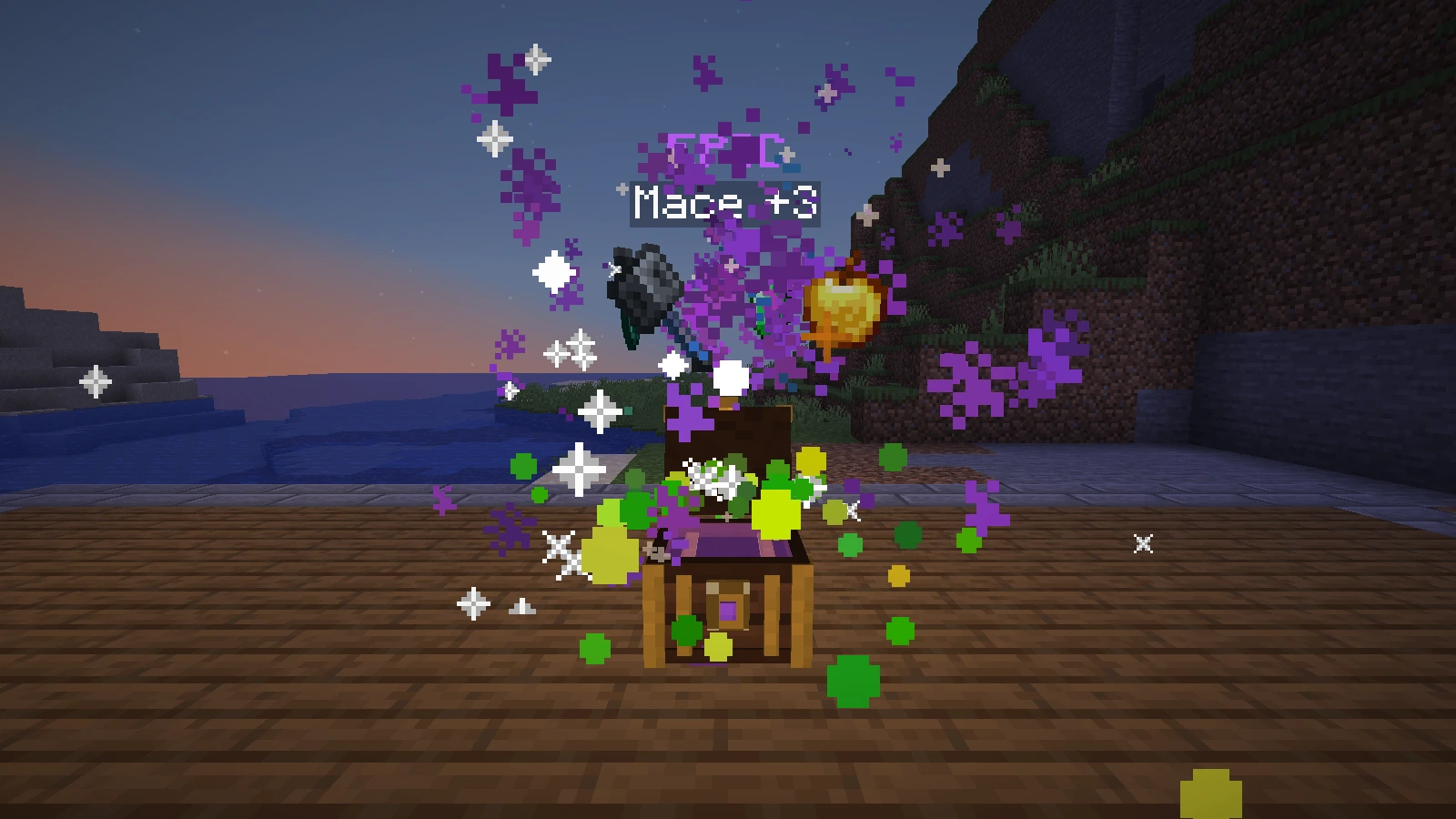
The reveal shows every reward and the rarity of the draw.
A loot crate is an item that holds one draw from a reward table. You can receive one as a quest reward, from a mob when the pack enables drops, or from an operator.
- Hold the crate in survival or adventure mode.
- Right-click the ground. A chest appears, shakes, opens and shows your rewards before they fly to you.
- Right-click in the air to open the crate at once, without the reveal. The same happens when the chest has no room to stand.
Watch a crate reveal
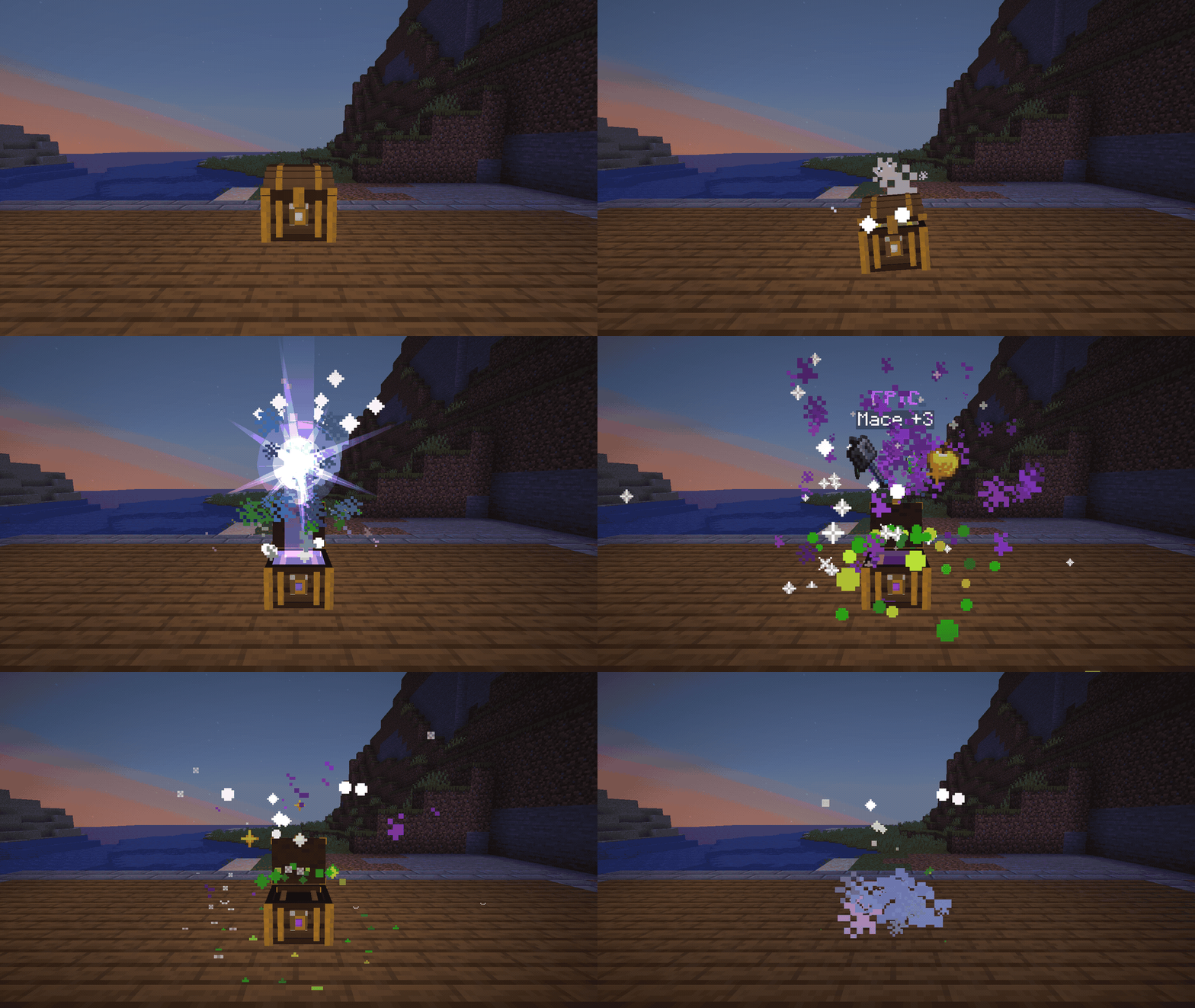
The server draws and saves your rewards before the reveal starts. The chest is only a show. It cannot be mined, pushed or looted, and it removes itself after about seven seconds. If your inventory is full, the rewards wait until there is room.
| Label | Color | Chance of the draw |
|---|---|---|
| COMMON | White | Above 40% |
| UNCOMMON | Green | 40% or less |
| RARE | Blue | 15% or less |
| EPIC | Purple | 5% or less |
| LEGENDARY | Gold | 1% or less |
A crate is never rated below the Minecraft rarity of the items it shows. The reveal displays up to eight rewards.
Add them to your pack
Loot crates
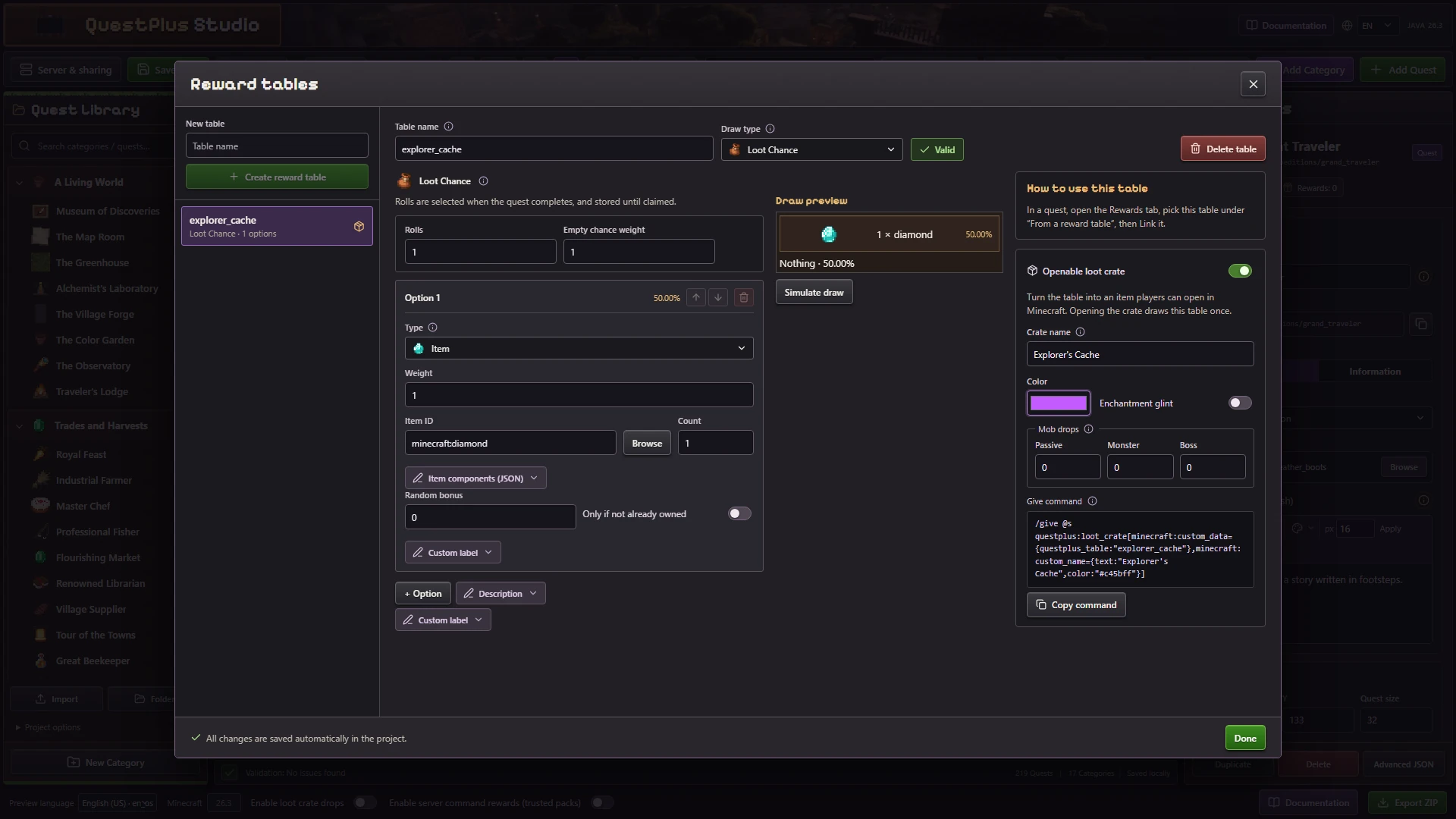
- Open Reward tables in Quest Studio and create or select a table.
- Enable Openable loot crate. A Player choice table cannot become a crate.
- Set the crate name, its color and the enchantment glint.
- Hand it out. Add a Loot crate reward to a quest, copy the Give command for an operator, or set the Mob drops weights for passive mobs, monsters and bosses.
Mob drops also need Enable loot crate drops in the Studio bottom bar. This is the dropLootCrates field of the pack configuration.
Keep table names stable
The table name is the identifier stored in every crate. Crates already given to players stop opening after their table is renamed.
Quest givers
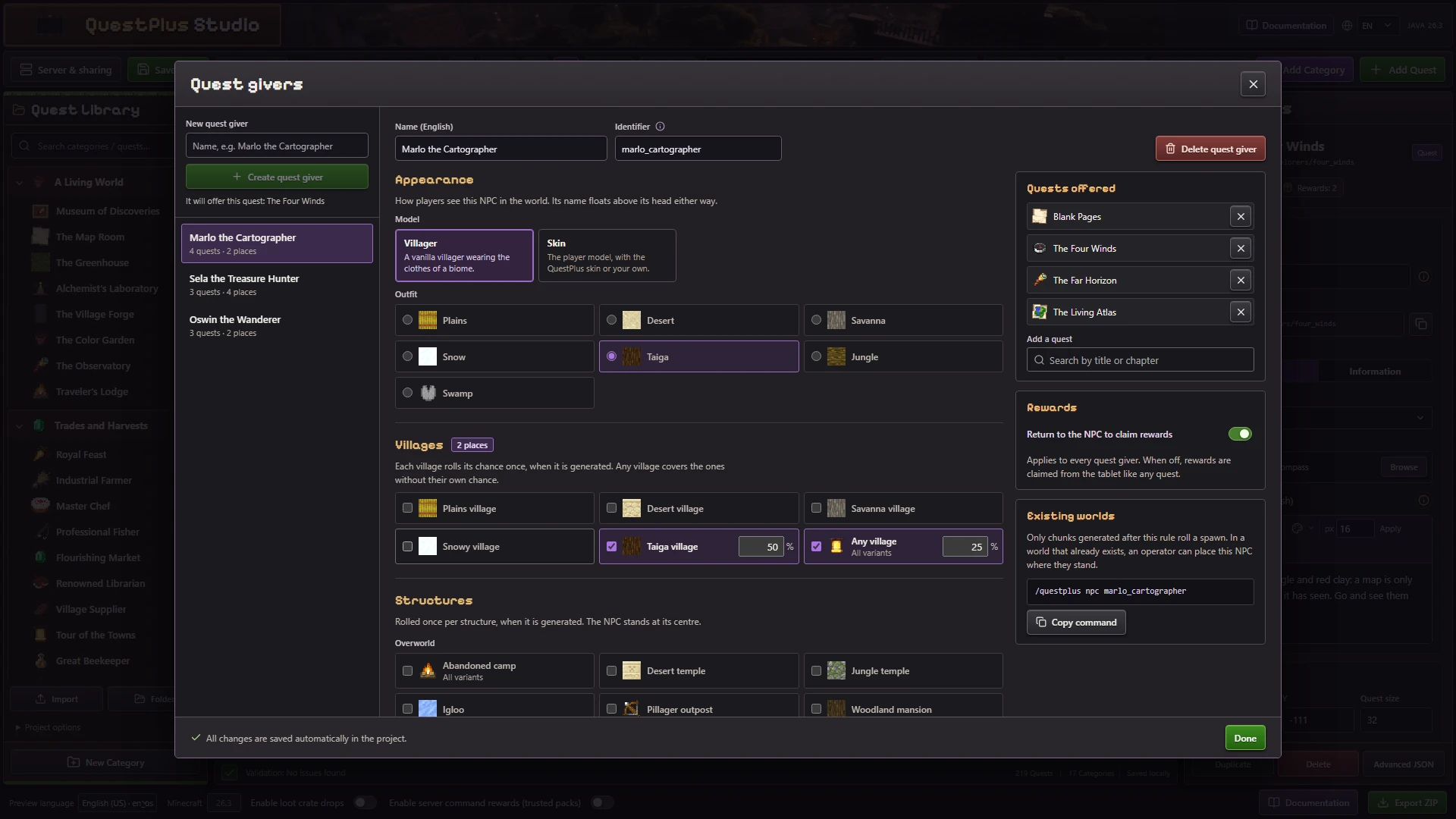
Open the NPC tab of a quest to choose who offers it. Manage quest givers edits names, appearance, spawn rules and offered quests. A quest giver looks like a villager in a biome outfit or uses a player skin.
See the quest giver reference for the npcs format and spawn rules.