Categories and quests
Create a category
Click Add Category, enter its name, then set its icon and order in Properties.
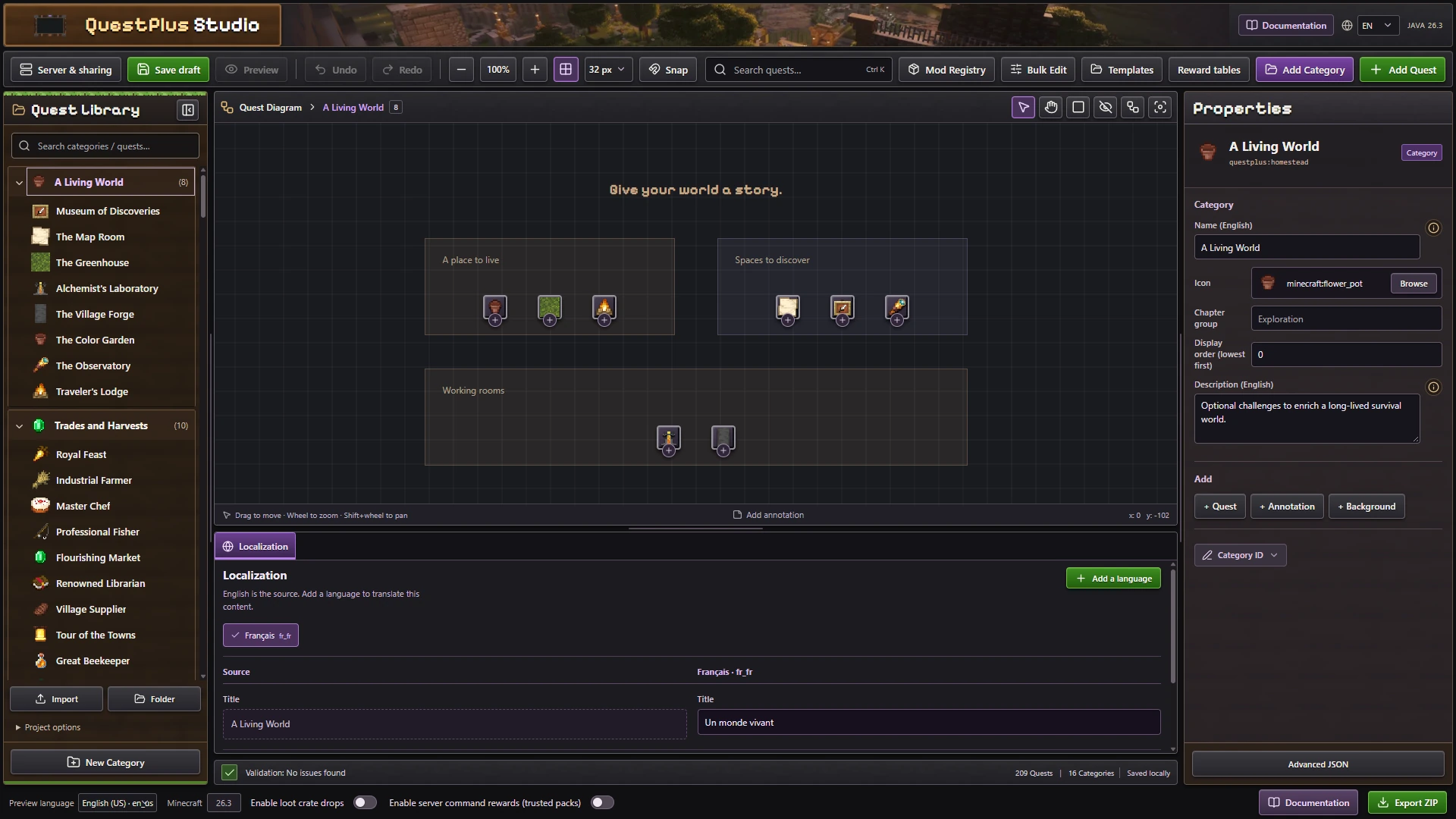
Category IDs connect quests to chapters. Use a stable namespaced identifier such as example:basics. Display order controls the chapter list, while layout positions control the diagram.
Create a quest
- Select a category and choose Add Quest.
- Add a title, icon and optional description.
- Set objectives and rewards.
- Link prerequisite quests in the diagram.
- Export the finished pack.
Example: To make Collect Stone, add item_obtained targeting minecraft:stone with count 32. Reward the player with XP or items.
Use a right-click template for common quest types. You can also add decorative annotations.
Build a progression tree
Connect Collect Stone → Craft a Furnace. The second quest unlocks after the first. Use and, or and not for complex prerequisites. Cyclic dependencies are invalid.
Use the Prerequisites tab for explicit dependencies. Layout alone does not make one quest depend on another. Completion unlocks a prerequisite, reward collection is separate.
Explain the chapter
Add a heading or note to explain the goal of a branch. Background annotations group related nodes visually. Images and GIFs can illustrate a build or machine, but increase pack size. Annotations do not create objectives or grant progress.
Move link waypoints when automatic routing overlaps content. These routes change presentation only. Keep the tree readable at the tablet's smaller display size.
Control visibility and information
A hidden quest is revealed when its prerequisites are satisfied or it already has progress. Text written elsewhere in the pack can still reveal its contents, so review descriptions if you want to avoid spoilers.
Use an information quest for an explanation or acknowledgment. A read only information quest has no completion or rewards and cannot unlock another quest. Use manual acknowledgment when reading should count toward progression.
Keep IDs stable
Changing a title does not require changing an ID. Preserve quest, objective and tier IDs after publishing. Renaming them does not move saved progress. Changing mechanics may make existing partial progress incompatible, so test on a copied world.