Translate quest content
Write an English title and description first. The source language is en_us.
Open the Localization tab in Quest Studio to add fr_fr, es_es, zh_cn or other Minecraft locales. New translations can start as copies of English.
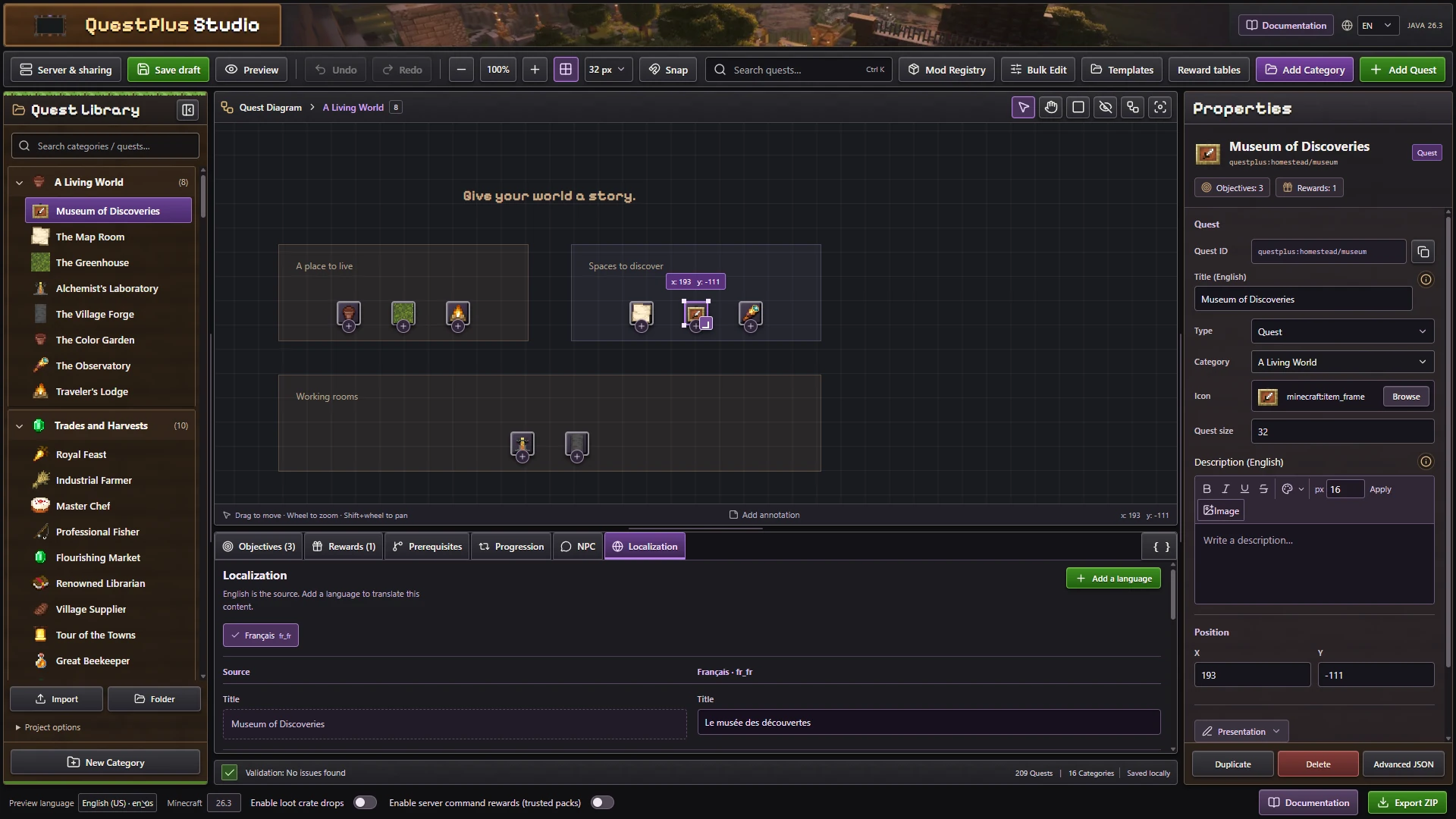
English remains the source. Each selected locale has its own editable text.
You can localize quest names, descriptions and supported annotations independently.
Decorate the diagram
Use Add Annotation for text, headings, images or GIFs. Rich text is supported. Embedded images increase the exported pack size.
The interface language is separate from quest translations.
Check the result
Use Preview language in Studio to inspect titles and annotations without changing the editor's controls. Then switch Minecraft to the target language and check the tablet. Long translations can change wrapping even when the English version fits.
Keep an en_us entry for required text maps. Use Minecraft locale codes with an underscore. A missing translation can fall back to the source text, so inspect every field before calling a language complete.
Do not change IDs when translating. The same quest and objective identifiers connect all languages to one progression history.