Rewards and progression
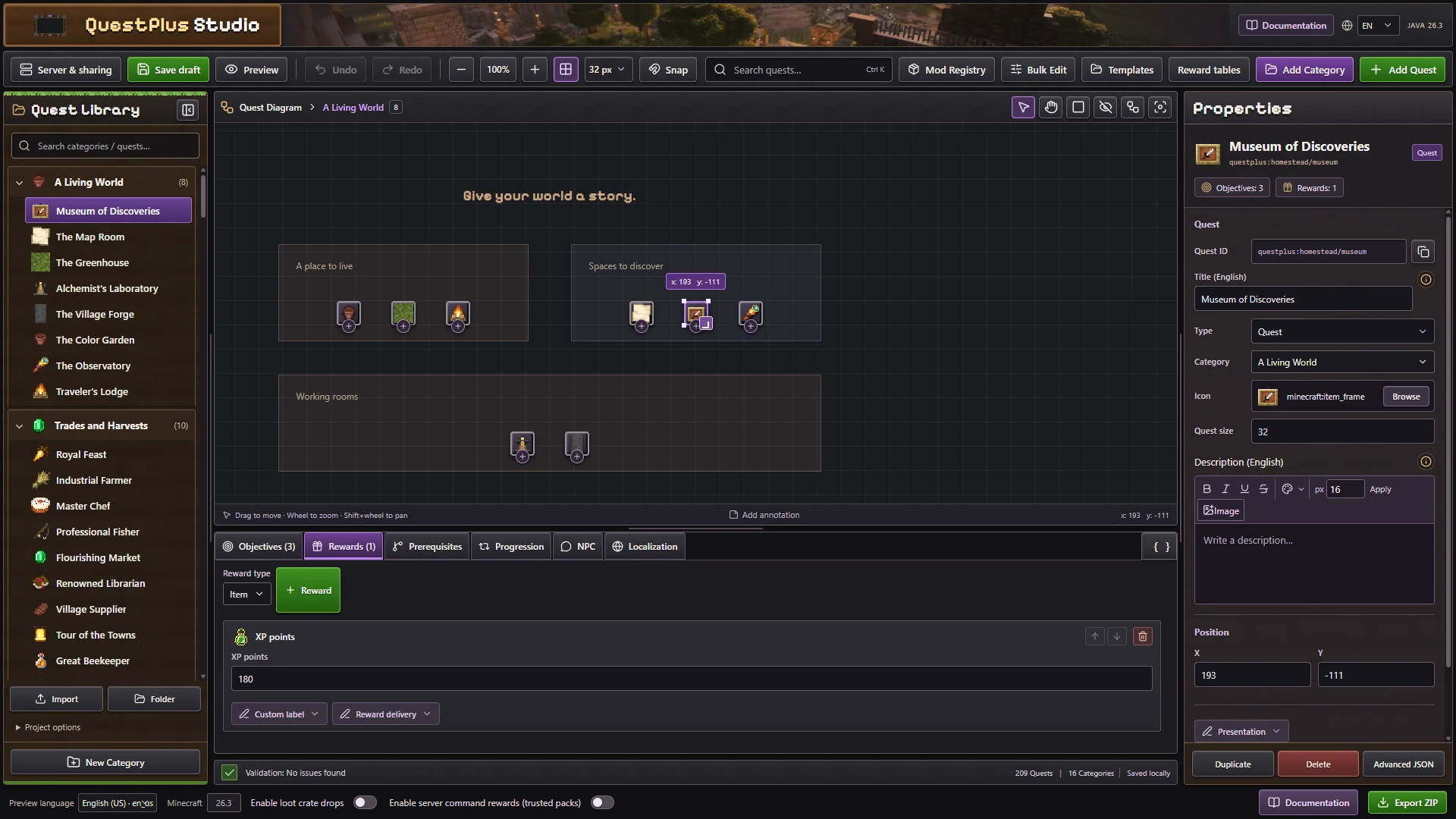
Select a quest in Quest Studio, open Rewards, and add a reward. These are the built in reward types available in the editor.
Direct rewards
| Reward | Type | Result |
|---|---|---|
| Item | item | Give an item with a quantity and optional components |
| XP points | experience | Give experience points |
| XP levels | experience_levels | Give whole experience levels |
| Advancement | questplus:advancement | Award an advancement or criterion |
| Chat message | questplus:message | Send a message to the player |
| Stage | questplus:stage | Add or remove a progression stage |
| Toast | questplus:toast | Display a translated notification with an icon |
| Command | questplus:command | Execute a server command if explicitly enabled |
Item rewards support Only one, Random bonus, and item component data. XP rewards accept 1 to 1,000,000 points or levels. Item rewards accept up to 2,304 items including a random bonus.
Commands are restricted
Command rewards are disabled by default. Enable them only for trusted quest packs. Never let untrusted players submit command reward definitions.
Random rewards and choices
| Reward | Type | Result |
|---|---|---|
| Player choice | questplus:choice | Let the player select one available option |
| Weighted random | questplus:random | Draw rewards using relative weights |
| Loot chance | questplus:loot | Draw weighted rewards with a chance of no reward |
| All rewards | questplus:all | Grant all listed options |
| Named reward table | questplus:table | Reuse a saved reward table by name |
Create pools from Rewards or manage reusable tables in Reward tables. A named table keeps a live reference so changes can affect quests that use it.
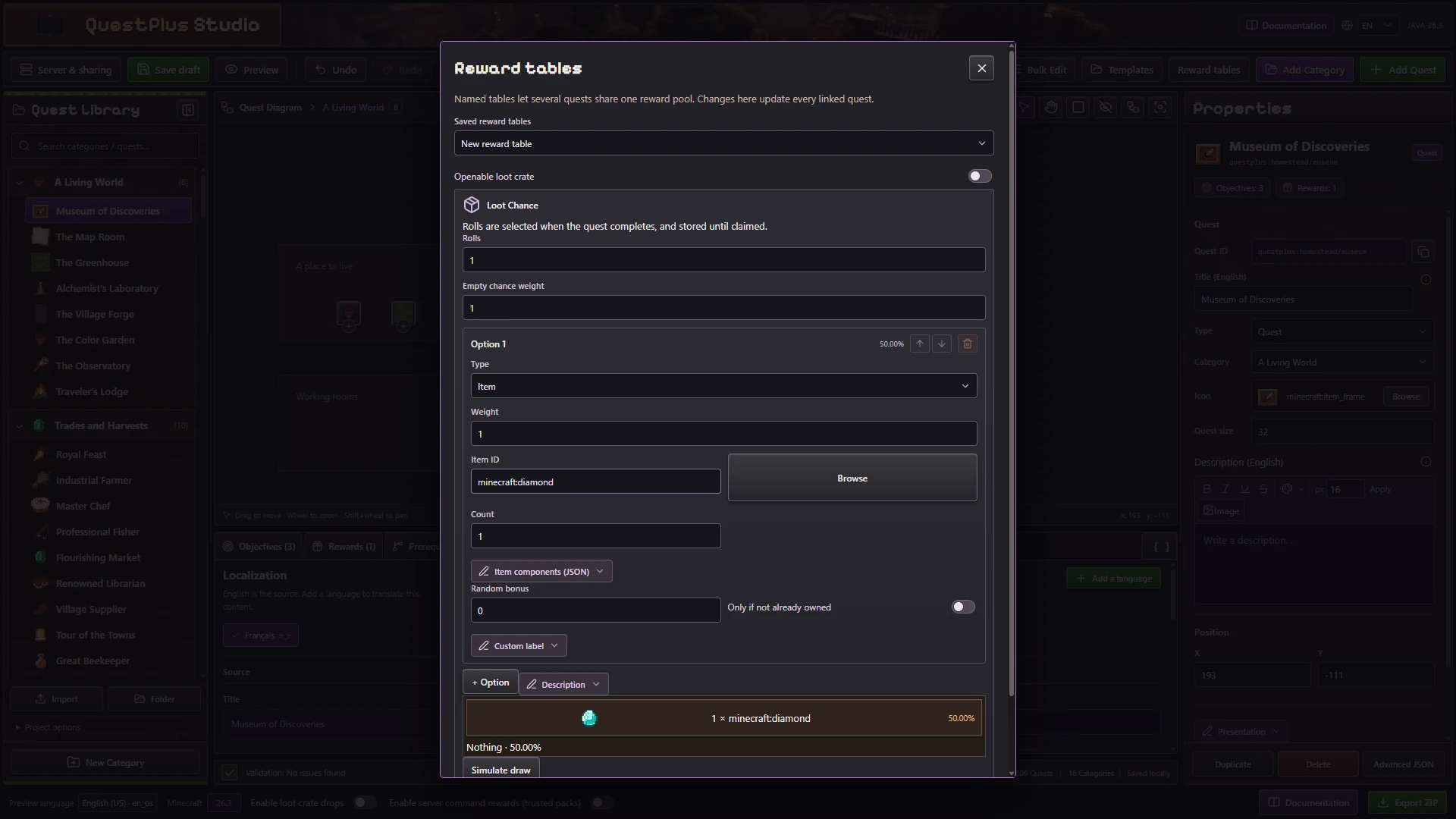
Create a named pool once, then select that table from the quests that should use it.
For weighted pools, choose each option's Weight and the number of Rolls. A weight of 0 marks an option as guaranteed in the weighted implementation. Loot chance additionally uses Empty weight for a draw that gives nothing. Use the preview to inspect the odds.
Pools support up to 32 choices. Weighted pools support 0 to 16 rolls, and expanded rewards cannot exceed 64 grants. Pool options accept supported items, XP, advancements, messages, stages, toasts, and explicitly approved custom rewards.
Reward options
| Option | Behavior |
|---|---|
| Auto claim | Claim without an extra button when eligible |
| Team reward | Apply the reward policy to the team |
| Exclude from Claim All | Require a separate claim |
| Translated label | Display the reward in supported languages |
Claims are validated server side. Quest Plus tracks claims to avoid repeatedly granting the same reward after a reconnect or restart.
Quest progression
| Mode | Behavior |
|---|---|
once | Complete and claim once |
repeatable | Repeat when the quest is eligible |
infinite | Keep completing cycles |
tiered | Claim milestone rewards as progress increases |
Use Cooldown for delays between cycles and Time limit for timed challenges. A tiered quest has increasing thresholds and may stop or repeat after its final tier.
Repeatable quests use an explicit restart when eligible. Infinite quests begin another cycle automatically. Timers use persisted absolute times, so stopping the server does not pause a cooldown or time limit.
Keep tier IDs stable. Increasing a display title is safe for identity, while changing the objective or progression structure can make existing partial progress incompatible.
Example: 10 XP levels and a diamond
json5
[
	{ type: "experience_levels", amount: 10 },
	{ type: "item", item: "minecraft:diamond", count: 1 },
]
This is the rewards list of a quest. Save and export your project from Quest Studio.
To give rewards from another Fabric mod, register a custom reward handler. Custom rewards appear in Studio when the integration exposes an editor descriptor.