
Play in a team
A team shares quest progression by default. Its managers can turn sharing off while keeping the team together. The server owns membership, permissions, invitations and progress. You can manage your team in the tablet or use commands in chat.
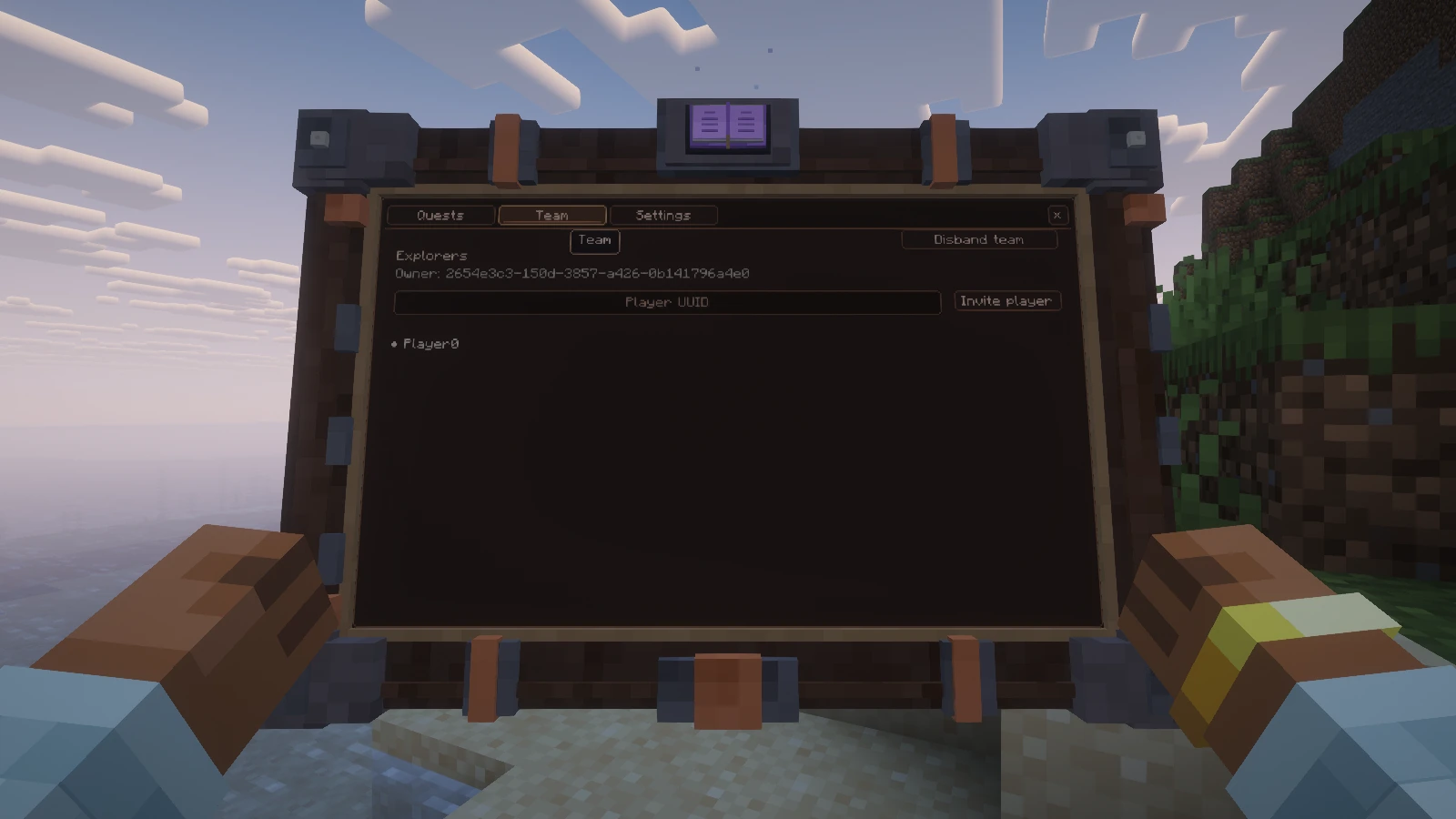
The Team tab shows the current group. This capture uses an integrated server with one demonstration member.
Create and invite
Open Team in the tablet or run the following commands. Replace <player-uuid> with the invited player's UUID.
text
/questplus team create Explorers
/questplus team invite <player-uuid>
/questplus team info
The invited player can inspect invitations with /questplus team invitations, then join with /questplus team join <team>. Use the team UUID returned by the game. Invitations expire and cannot be reused.
You can belong to one team at a time. The tablet shows every member's grade, online status and available actions.
| Grade | Permissions |
|---|---|
| Member | Accept invitations, view the team and leave |
| Manager | Also invite players, cancel invitations, remove ordinary members, rename the team and change sharing |
| Owner | Also promote/demote managers, remove managers, transfer ownership and disband the team |
The owner cannot be removed. After transferring ownership, the previous owner becomes a manager. Only the owner can change grades. The server checks every action again, including requests from an outdated tablet.
Open Team options to rename the team, change shared progression or cancel a pending invitation. Grade changes, removals, transfers, sharing changes and dissolution ask for confirmation. Controls refresh after saving, including when another player removes or demotes you. Offline members can be removed.
Understand shared progress
With sharing enabled, joining merges compatible progress into the team. Completed quests are combined. Compatible partial counters use the higher value instead of adding two copies of past activity. Sequential, timed and repeatable quests keep one attempt rather than combining incompatible attempts.
New gameplay from members contributes to shared progression. Members who reconnect receive the current server state. A merge can be rejected when two versions of a quest have incompatible mechanics. Ask an operator to inspect the definitions instead of deleting a save.
Turning sharing off checkpoints shared progress into independent personal records. Each member then progresses and submits resources for their own quests. Joining, leaving or being removed while sharing is off does not copy another member's quests. The collective record is retained.
Turning sharing back on merges personal histories into the collective record without adding counters or issuing retrospective rewards. Reward receipts stay attached to their original beneficiary and shared reward scope. Team membership and the active progression scope (PERSONAL or TEAM) are separate API values.
Understand rewards
Quest completion and reward payment are different states. A pack can configure team reward policies. Sharing a completed quest does not mean every member receives the same reward again.
Claim history stays attached to its beneficiary. Leaving and joining teams is not a way to reset paid rewards. If a reward is unavailable, inspect the quest and the pack's reward settings before asking an operator to reset anything.
Personal stage conditions are checked against each recipient through the registered stage provider. A teammate's stages do not authorize your rewards. For stage-gated objectives, a disconnected recipient cannot be verified and receives no new entitlement. Unconditional collective rewards still support offline members. Changing sharing never grants a missing entitlement retroactively.
Leave or change ownership
Use /questplus team leave to leave as a member or manager. With sharing enabled, the server keeps an independent personal snapshot of shared progress. The team also retains its progress. With sharing disabled, your personal progress stays independent.
The owner must transfer ownership with /questplus team transfer <player-uuid> or disband with /questplus team disband before leaving. Disbanding separates all members, including those currently offline.
text
/questplus team promote <player>
/questplus team demote <player>
/questplus team rename Explorers
/questplus team sharing false
/questplus team sharing true
/questplus team revoke <player>